Every item, every customization, one list.
One row per thing to make, oldest first, with the buyer's exact words and line breaks. Search across names and engraving text, group the cutting boards together, and see what's late before it is.
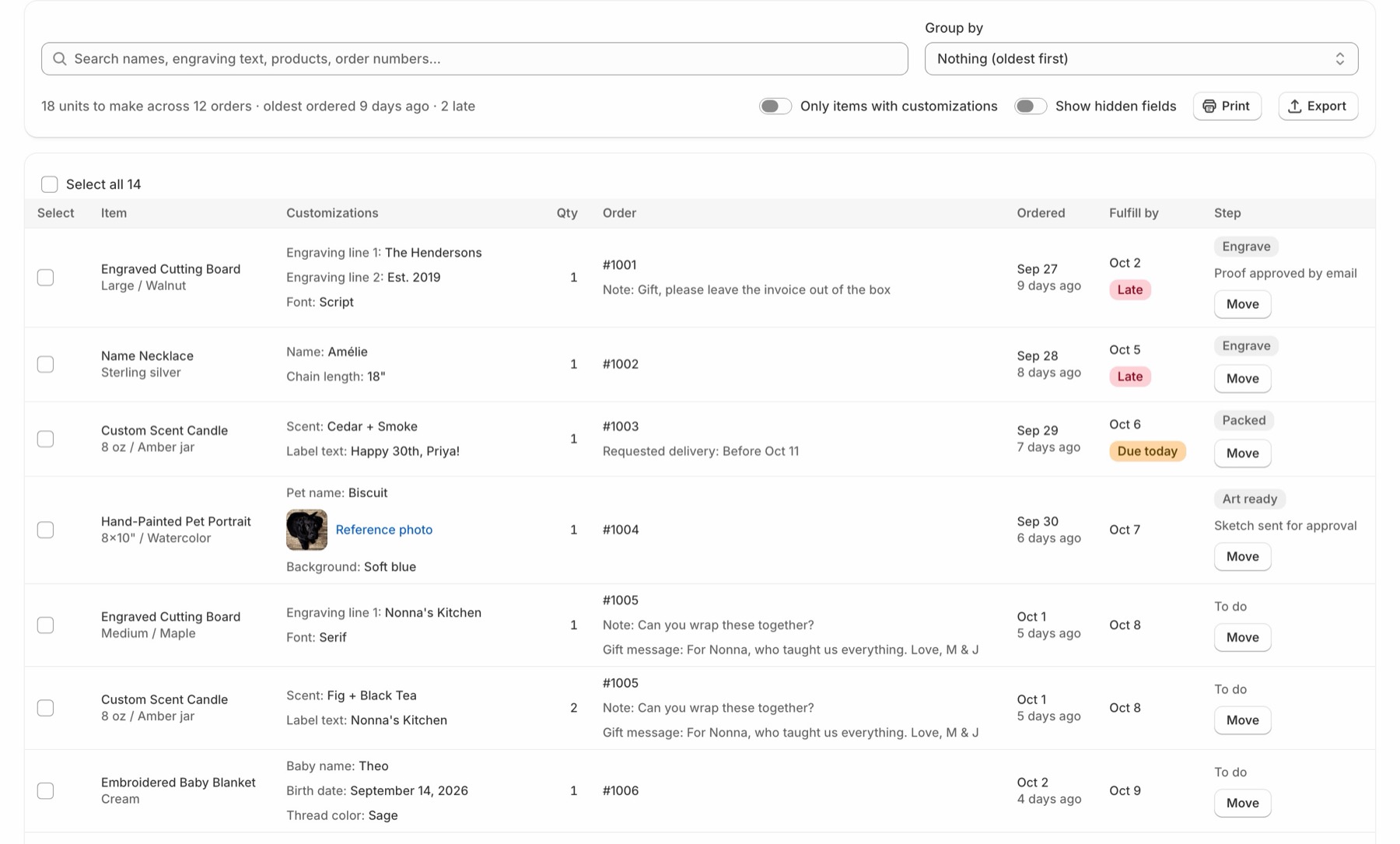
Every item you have to make, the buyer's exact words, and where it is in your own steps. One list, right inside Shopify, for shops that engrave, stitch, stamp and build to order.
Engraved Cutting Board
Large / Walnut · Qty 1
Fulfill by Oct 2 Late
Click into all 40 orders to read the engraving text.
Keep a spreadsheet of what's engraved, what's waiting on a proof.
Answer "where's my order?" from memory.
Retype every name into LightBurn, one at a time.
One row per thing to make, oldest first, with the buyer's exact words and line breaks. Search across names and engraving text, group the cutting boards together, and see what's late before it is.
Steps · Art ready / Engrave / Finish / Packed
List how you work: Art ready, Engrave, Finish, Packed. Move each item along with a note. Shopify marks the order In progress and shows the step and note, so whoever's at the counter knows too.
Engrave: Engraved Cutting Board. Proof approved by email
Shopify admin · Order #1001
A Makeline card sits on Shopify's own order page: each item's step, its latest note, and a Move button. No switching apps to answer a question about one order.
Engraved Cutting Board · Engrave · Move
Order #1001 · 2 items · 1 package
Fulfill an item with its tracking number, and tick the rest of the order to go in the same box. Shopify emails the buyer the shipment details, the same as always.
Order #1001 · Engrave · 2 of 4
Add the Makeline block to your order status page and buyers see "Engrave, step 2 of 4". Fewer "where's my order?" emails. Your notes stay yours.
Reports · Last 4 weeks
Late and Due today sit at the top of the queue. Reports show units shipped each week, the typical days from order to shipped, how many went out by their fulfill-by date, and how long items sit at each step.
Shipped this week: 42 units · On time: 95%
Paid plan · Team · Maria / Sam
Assign items to whoever's making them, and each maker filters the queue to their own. Candles can go Pour, Cure, Label while cutting boards go through Engrave: steps by product type or tag.
Engraved Cutting Board · Engrave · Maria
work-queue-2026-10-02.csv · 3 rows
Filter to the cutting boards and export: one row per board, one column per field, ready for LightBurn's or xTool Studio's variable text.
Order,Product,Engraving line 1,Engraving line 2,Font
#1001,Engraved Cutting Board,The Hendersons,Est. 2019,Script
#1005,Engraved Cutting Board,Nonna's Kitchen,,Serif
#1011,Engraved Cutting Board,Sam & Riley,06.20.2026,Serif
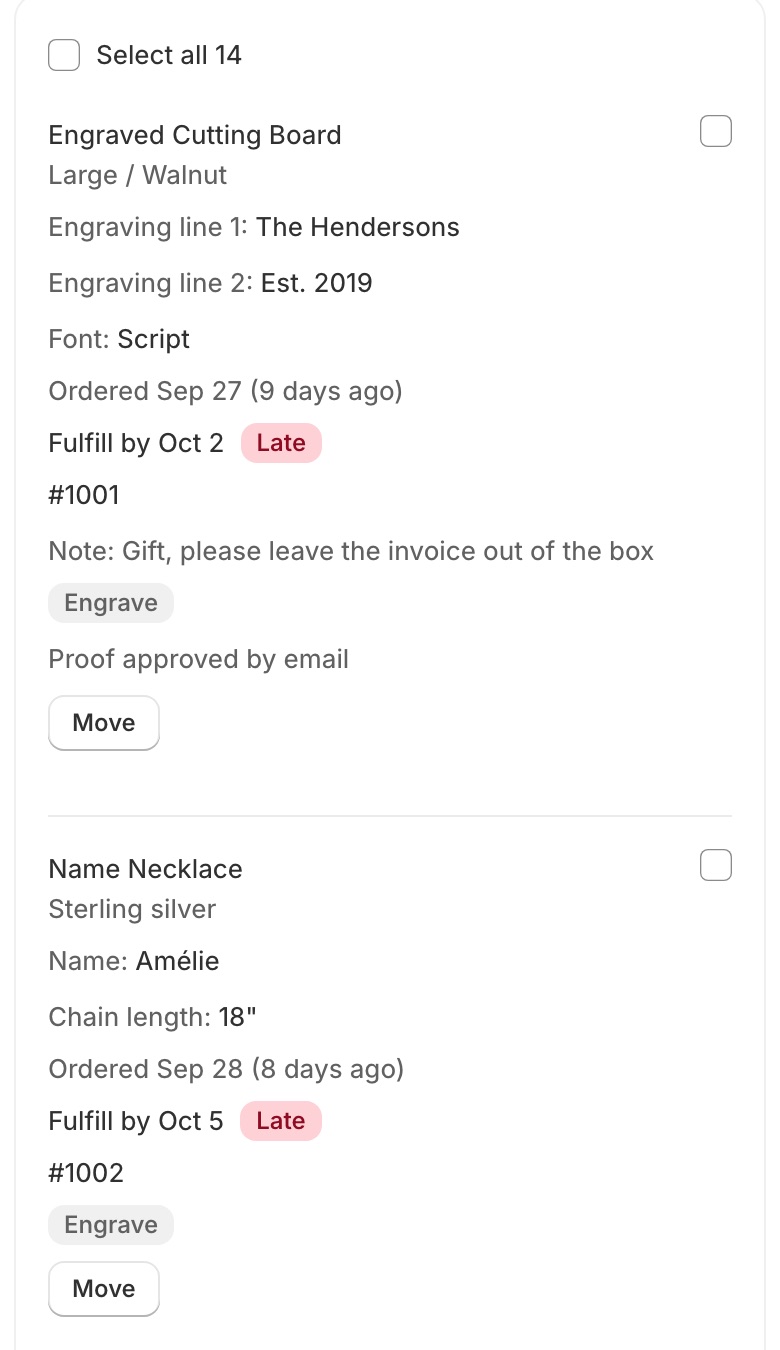
On a phone, every item becomes a card with what the buyer typed right under it. Bulk-move a whole batch when it comes off the machine, or move 3 of 5 when that's all that's done.
Works with personalization apps that save the buyer's choices on the order as line item properties, which most product options apps do.
Plan 1 · One maker
Everything one maker needs at the bench.
Plan 2 · Paid
For a team handing work along, and buyers who ask where their order is. Free for the first 14 days.
Free during early access
Everything on this page is free for the first shops, and we'll say when paid plans start before anything is charged. No order limits, billed by Shopify, cancel any time. Compare plans
If your app saves the buyer's choices on the order as line item properties, Makeline shows them. Most product options and personalizer apps do. Fee lines some apps add show on the order, not as items to make.
If an Etsy sync app brings them into Shopify, they're in your queue. Some sync apps put the personalization in the order note, which Makeline shows with the item.
Only in ways you choose: moving an item marks the order In progress with your step and note and tags it with the step; putting an item on hold places a Shopify hold on it; fulfilling an item fulfills it. Nothing else.
No. Makeline is built for small shops on any Shopify plan.
Yes. Anyone with access to your Shopify admin can open Makeline, move items and leave notes. On the paid plan you can assign items to people, and each maker can filter the queue to their own.
We're setting Makeline up with a small group of made-to-order shops before it lands in the Shopify App Store.
Ask for early access